


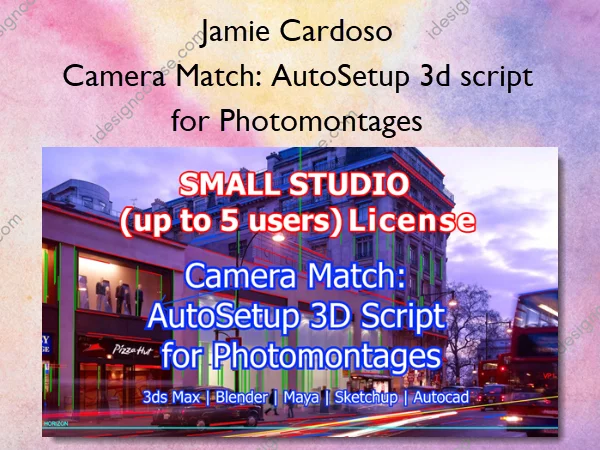
Camera Match: AutoSetup 3d script for Photomontages – Jamie Cardoso
Small firms benefit most from efficiency gains. At this price the tool pays for itself in a single project by saving 15–20 hours of manual camera matching.
What You’ll Learn In Camera Match: AutoSetup 3d script for Photomontages
- Up to 5 named workstations
- All platforms: 3ds Max + Blender editions
- Priority email support
- Full VP detection + horizon line + FBX export + Scene Scale Calculator + Renderer-aware camera creation + Camera Transplant improvements + Iterative overlay naming + Scrollable / resizable panel
- Drone XMP Auto-Setup for Skydio / DJI drone camera matching. The Drone XMP Auto-Setup creates accurate 3D cameras in 3ds Max directly from Skydio or DJI drone photographs. It combines XMP metadata (altitude, calibrated focal length) with VP detection (vanishing-point orientation) and scene reference points (GPS position) to produce a one-click camera match.
- Optional Rural / Landscape checkbox. This function ignores foliage and sky before detection and focuses on structural elements (tree trunks, road edges, kerbs, buildings). Corrects small detection errors that would otherwise tilt the horizon line on level shots.
- New Force level horizon (always zero roll) checkbox, independent of Landscape mode. Unconditionally snaps the camera’s roll to zero regardless of the detected value. Pitch is left untouched, giving a flat-horizon starting point from which manual refinement is straightforward.
- On first launch the tool auto-registers under category JamieC. One-time drag from Customize > Customize User Interface > Toolbars places CameraMatch on any toolbar permanently.
- Compact default height that fits the main workflow on standard displays. Scrollbar and manual resize both preserved.
- User-configurable threshold (default 0.40). Below threshold the tool offers Apply anyway, Open Perspective Match, or Cancel — no silent commits on shaky detections.
- Precise build number v6.1.6 shown in the panel title, the header, and the Done dialog. Studios can reference the exact build in support tickets and change-management records.
More courses from the same author: Jamie Cardoso
Sale Page: Camera Match: AutoSetup 3d script for Photomontages – Jamie Cardoso
Related products
-60%
»Pre-Order
Original price was: $249.00.$100.00Current price is: $100.00.
-64%

»Pre-Order
Original price was: $25.00.$9.00Current price is: $9.00.
-62%

Original price was: $149.00.$57.00Current price is: $57.00.
-93%

Original price was: $197.00.$13.00Current price is: $13.00.
-53%
»Pre-Order
Original price was: $19.00.$9.00Current price is: $9.00.
-61%
»Pre-Order
Original price was: $95.00.$37.00Current price is: $37.00.
-81%

Graphic Design
Original price was: $168.00.$32.00Current price is: $32.00.
-62%
Original price was: $100.00.$38.00Current price is: $38.00.