

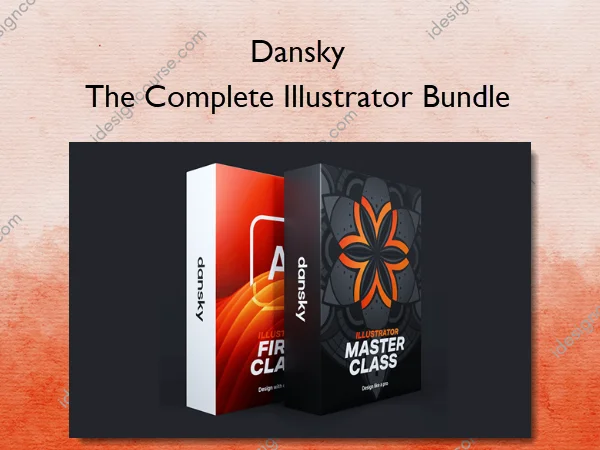
The Complete Illustrator Bundle – Dansky
DiTCH THE FRUSTRATiON AND LEARN iLLUSTRATOR THE SMART WAY.
If you are new to Illustrator and want to build a solid foundation, this course teaches the tools, techniques, and workflows real designers use.
Does this sound like you?
- You have an idea, but struggle to create it.
You know what you want to make, but turning that idea into a finished design feels messy and frustrating. This course shows you how to break ideas down, build them step by step, and turn rough concepts into polished visuals without guessing. - You want to create professional-level designs.
Instead of relying on random tools or trial and error, you’ll learn the core skills and workflows professionals actually use. That means cleaner work, better results, and designs you fully understand and can confidently refine. - You want to confidently make creative decisions.
Good design isn’t about knowing every feature – it’s about knowing what to do next. You’ll learn how to make confident creative choices so your work feels intentional, consistent, and professionally finished.
It took me years to realise the problem wasn’t me, it was how I was learning Illustrator.
I remember years ago, staring at my screen, completely lost. I’d spent hours reading articles and watching Illustrator tutorials but still couldn’t design what was in my head, let alone get it looking good. I kept jumping between tools, following random videos, hoping something would finally click – the process was painfully slow and incredibly frustrating.
Even when I finished something, I had no idea if it was actually any good, and to be honest it all felt like guesswork for a long time.
Well after years of trial and error, I’ve finally figured it out.
Illustrator isn’t difficult, it’s just overwhelming when you try to learn everything, and in the wrong order. But when you focus on the tools that actually matter, and learn how to use them properly, everything changes.
That’s why I created Illustrator First Class. It’s the course I wish I had on day one. So if you’re new to design or feeling stuck, this gives you the shortcut – a clear path, the right tools, and a way to start creating real pro-level work as fast as possible.
I spent years struggling so you don’t have to!
What You’ll Learn In The Complete Illustrator Bundle
- Module 1 – Getting started the right way
- Module 2 – Mastering the core Illustrator tools
- Module 3 – Colours, strokes and gradients made easy
- Module 4 – Drawing tools and shape-building techniques
- Module 5 – Creating typography that stands out
- Module 6 – Working with images, masks, and tracing techniques
- Module 7 – Using brushes and adding texture
- Module 8 – Unlocking Illustrator’s advanced features
- Module 9 – Saving, exporting and sharing like a pro
- Practice projects to build your skills and confidence
- What’s new in Illustrator 2026
More courses from the same author: Dansky
Sale Page: The Complete Illustrator Bundle – Dansky
Related products
»Pre-Order
»Pre-Order