

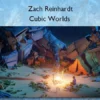

Creature Forge – Zach Reinhardt
Create epic, lifelike creatures in Blender.
After learning the basics of sculpting in Blender, you might have made some nice models, but wonder, what comes next? How do I bring my 3D sculptures to life?
That is what Creature Forge is all about. It’s a fun and easy to follow course that teaches you how to turn a creature concept art into a fully animatable 3D creature. At the end, you will even learn how to add it to a 3D scene and create a fun looping animation, which you can share with the world.
In the course we’ll go through; sculpting your model with high resolution detail, texturing, shading, rigging with the free Rigify add-on (to make this process extra fun), setting up an environment and crafting a fun looping animation, all in one accessible course.
By the end of the course, you know how to bring any 3D sculpted creature to life.
What You’ll Learn In Creature Forge
Part 1 – Creature Creation
- 4 Chapters
- 50+ Lessons
- 7+ hrs running time
Chapter 1 & 2 – Getting Started and Creature Base Sculpting
In this chapter, we’ll sculpt the creature’s primary shapes. We’ll start by analyzing body shapes, creating the head, limbs, and tail from basic shapes, and then refine the entire model for the next phase of adding fine details.
Chapter 3 – Creature Detail Sculpting
In this chapter, we focus on adding high-resolution details to the creature. We begin by preparing the creature with auto-retopology and the multires modifier, then use sculpting brushes to add lines, wrinkles, scales, and other intricate skin details. Additionally, we’ll learn how to create custom brush textures for future use.
Chapter 4 – Creature Texturing
In this chapter, we focus on texturing the creature. We start by preparing the mesh through retopology and UV unwrapping, then explore advanced UV packing solutions and use UDIMs for high-resolution texture maps. After baking various texture maps, including normal, displacement, and curvature maps, we employ vertex color painting and shader editing to add intricate details to the creature’s skin material, including glowing scales, roughness, and subsurface scattering effects. Finally, we create semi-realistic eyes, resulting in a fully textured creature.
Part 2 – Creature Presentation
- 3 Chapters
- 40+ Lessons
- ~7.5 hrs running time
Chapter 5 – Creature Rigging
In this chapter, we focus on rigging the creature for posing and animation. To keep the rigging process simple, we use the free Rigify add-on. First, learning the basics on a simple Trex model and then adapting it to our more complex creature. We customize the rig to fit the creature and fine-tune the setup for easy posing and animation.
Chapter 6 – Creature Presentation
In this chapter, we focus on showcasing the finished creature through a beautiful still render. To achieve this, we select a good camera perspective, then pose the creature majestically, create a simple environment using free 3D assets, add lighting to enhance the mood and detail, and prepare render layers, so we can tweak everything in the compositor, to achieve our desired look.
Chapter 7 – Creature Animation
In this final chapter, we focus on creating a fun looping animation with the creature. We animate the camera, grass and creature and add a fun element of surprise. We also optimize the rendering settings for a good rendering quality and shorter render times. The result is a fun, animated video clip of our creature, ready to be shared online.
More courses from the same author: Zach Reinhardt
Sale Page: Creature Forge – Zach Reinhardt
Related products
Adobe After Effects
»Instant Delivery
Adobe After Effects
Design meaningful experiences through an animation system – Louis Ansa