

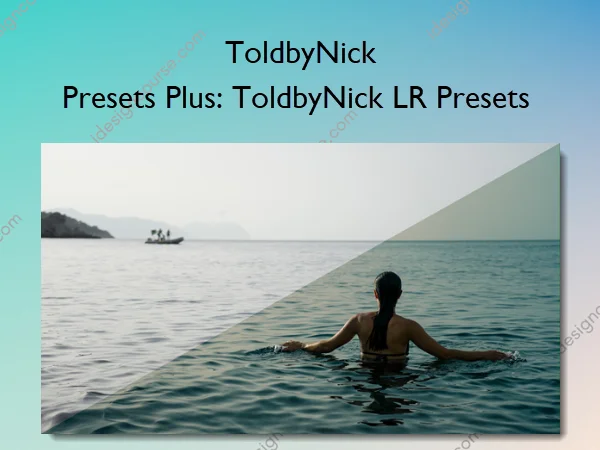
Presets Plus: ToldbyNick LR Presets – ToldbyNick
Let’s start with the presets themselves, which have been “in development” since I began my journey as a photographer. However, it wasn’t until 2024 that I really started to think about how these presets could be used in other people’s workflows.
For the next two years, I spent my time fine-tuning 8 of my most-used presets to the point of uniqueness from one another and overall versatility, across images of different lighting, genre, and composition.
Halfway through that process, I realized how important it is to understand the fundamentals of image-editing tools; things like sliders, curves, and wheels found in most editing programs, like Lightroom. Presets are great, but if you don’t understand what they are doing to your image, they will only take you so far.
That led me to develop Color & Contrast right alongside ToldbyNick Presets. Color & Contrast is an eBook that aims to provide new photographers with the knowledge necessary to fully understand, appreciate, and be able to effectively use the presets I spent so long developing and using in my own work.
Honestly, developing these products in a way that is packed full of information, but presented in a way that is easy to understand and replicate, challenged me to revisit my own foundation – and I’m happy to say that I too learned along the way.
What You’ll Learn In Presets Plus: ToldbyNick LR Presets
ToldbyNick Presets
8 custom Lightroom presets I have developed over nearly a decade of professional photography.
Carefully crafted over years of shooting, editing, refining, and repeating. The result is 8 premium presets, each with a unique look, all of which are more versatile than any other presets I have personally used.
-> Color & Contrast: Fundamentals of Image Editing (PDF eBook)
- Section 1: Sliders, Their Definitions, & When to Use Them
A breakdown of each slider (contrast, dehaze, etc.) found in most editing programs – with explanations of their purpose and why you might use them. Each definition has accompanying example images, showing what happens to a photo when each respective slider is pushed to its extremes. - Section 2: Curves, Wheels, Masking & More
A breakdown of more advanced image-editing tools and techniques (color curves, masks, etc.) – with explanations of their purpose and why you might use them. These definitions have accompanying example images. The section finishes with a deeper dive into lesser-discussed Lightroom tools, including Defringe and Color Calibration. - Section 3: Lessons in Action
A full image-editing walkthrough, applying the lessons you’ve learned in Sections 1 & 2. In this section, I take a RAW image from “straight out of camera”, to finished edit. You’ll receive the RAW photo as well, so you can step through the process alongside the tutorial. - Section 4: Preset Examples & How to Install
Instructions on how to install ToldbyNick Presets, plus 8 example images, fully edited using each preset. In this section, I also document the additional changes made to each image (in addition to the presets) and I supply you with each of these RAW image files, so you can replicate the exact changes I made and get immediate experience editing with these presets.
More courses from the same author: ToldbyNick
Related products


»Pre-Order

Graphic Design

»Pre-Order